Tuesday, June 14, 2011

You Don't Know JavaScript ??

Over the last year or so I've noticed an irritating phenomenon developing. I've seen a repetitive pattern of programmers dressing their resumes with technologies that they don't really know, but have merely touched on. While this seems to be happening with many languages, the most commonly violated language is JavaScript.


You Don't Know That You Don't Know It
The reason for this is that just about every web developer comes across the need for JavaScript at one point or another. With a lack of understanding, the most common approach to learning JavaScript is to search for code samples case by case and perform some quick copy/paste. The problem with this sort of 'learning' is that developer never actually learns the language, and instead gains the false sense that they know it. What I've discovered over the course of learning and working with JavaScript for several years, is that you don't know that you don't know it, until you actually know it. Since this is a bit of a circularity, what you really need is someone to tell you that you don't know it, and that some real learning is needed. Too often I interview someone that proudly lists JavaScript on their resume having only done some simple onClick handlers or form validation that they pieced together from code samples. The use and knowledge of frameworks such as jQuery or Dojo is great, but you can't become a master of these toolkits without a good understanding of the JavaScript behind them. In order to present the many elements of JavaScript, I have divided its concepts into what I feel are basic, intermediate, and advanced knowledge levels as follows:

A basic level of understanding for JavaScript includes:
  • Knowing the syntax of basic programming tools such as loops, if statements, try/catch, etc.
  • Understanding function definitions including the various ways they can be defined and assigned, as well as anonymous functions
  • Understanding basic scope principles, global (window) scope versus object scope (closures excluded)
  • Understanding the role of context and the use of the 'this' variable
  • Understanding the different ways to instantiate and declare an object as well as functions as objects
  • Understanding JavaScript comparison operators like '<', '>', '==', '===',  what is falsy, and how object and string comparison works, as well as casting
  • Array indexing for object attributes and functions and how this differs from actual arrays (object literals vs. array literals)
An intermediate level of understanding includes:
  • Understanding timers, how they work, and when/how they can be useful as well as asynchronous method execution
  • In depth knowledge on callbacks and function application such as the 'call' and 'apply' methods for controlling context and function argument passing
  • Understanding JSON notation and the 'eval' function
  • Understanding closures, how they affect the performance of your code, and how they can be used to create private variables, along with the lovely (function(){})() call
  • AJAX and object serialization
An advanced level of understanding includes:
  • Understanding a methods 'arguments' variable and how it can be used to overload functions through arguments.length and make recursive calls through arguments.callee. It should be noted that use of arguments.callee can be dangerous as ECMAScript 5 Strict Mode doesn't support it, although both jQuery (up to 1.4) and Dojo take advantage of it. 
  • Advanced closures such as self-memoizing functions, currying, and partially applied functions
  • Function and html prototyping, the prototype chain, and how to use base JavaScript objects and functions (e.g. Array) to minimize coding
  • Object type and the use of instanceof and typeof
  • Regular expressions and expression compiling
  • With statements and why you shouldn't use them
  • The most difficult part of all, knowing how to tie all these tools together into clean, robust, fast, maintainable, and cross browser compatible code. 
The final point in the advanced section is particularly important, and is also the hardest to achieve. Given the lax nature of JavaScript, it's easy for your application to spiral into a mess of unmaintainable spaghetti code. Once you learn the JavaScript language itself, the real mastery comes from being able to structure it and tie it together in the context of a large web application. It is this final point that requires years of practice and getting it wrong, and can't be learned from a book. I myself have been using JavaScript for several hours daily for several years, and continue to discover better ways of structuring and writing my code. It is for this reason that jumping straight into a framework is dangerous, as jQuery code has a habit of becoming unmaintainable. Dojo offers some help with this through its Class and Package system. 

Given that JavaScript has now permeated into the back-end with things like Node.js, I've decided to isolate the above requirements from web-specific knowledge. It is the web aspects (namely the DOM and IE) that have given JavaScript a bad name and send chills down every programmers spine. That being said, if you're looking to use JavaScript in a web context there are additional things that every good developer should know:
  • The DOM and manipulating it in an efficient manner, namely adding, removing, and changing nodes, as well as working with text nodes. This includes minimizing browser re-flows through the use of tools such as document fragments. 
  • Extracting information from DOM elements in a cross browser manner (e.g. style, position, etc.). Things such as this are best done with a framework like jQuery or Dojo, however, it's important to understand the differences between extracting information specified in CSS vs. style tags and computing positions and sizes, etc. 
  • Cross browser event handling, binding, and unbinding, bubbling, and how to achieve desired callback context. Again this is best handled via a framework but one should understand the differences between IE and W3C standard browsers. 
  • Expados vs. attribute setting, the performance differences between them, and the naming discrepancies that exist
  • Regular expressions for DOM node extraction
  • Effective browser functionality detection and graceful degradation
As you can see from the above list, there is a hell of a lot more to JavaScript than alert(myVal) and myBtn.onclick = ... There is certainly a lot more to it than you can copy/paste from, and you can only become a true JavaScript programmer through reading and practice. Two great books for covering all these topics are 'JavaScript: The Good Parts', and 'Secrets of the JavaScript Ninja'. Let's remember that JavaScript is quite possibly the most accessible language there is, everyone has a browser, and there is little to no setup time. Create a simple html page and start playing around with the above concepts. As for the resume decoration, I would say that if you've covered the beginner level and are venturing into the intermediate stages, it is justifiable to list JavaScript. Once you find yourself developing your desired functions rather than copying and pasting them, you can then claim to know JavaScript, until then, please don't advertise it. 

If there are any aspects of JavaScript that I've missed please chime in, in the comments section. Also please share any experience you've had with people claiming to know JS or other languages.

It should be noted that I am not a front-end developer, I'm a back end developer that has evolved into a full-stack developer. Today almost every back-end developer needs to learn JavaScript and that is what this article is meant to encourage. It's not meant to sound condescending as I hardly claim to know everything there is to JS. What I would like to see is more people realize that JavaScript is a vast and powerful language, and that there is more to it than initially meets the eye. 

Reference: www.w2lessons.com

10 superb jQuery plugins for working with images

10 superb jQuery plugins for working with images This is collection of most interesting fresh jQuery plugins for images. Here are plugins to perform different animations and effects with images: zooming, and more. 1. AJAX-ZOOM This plugin are very interesting. This is and ajax zoomer, and pan gallery, and also possibility to rotate objects (3D [...]
   
   
10 superb jQuery plugins for working with images

This is collection of most interesting fresh jQuery plugins for images. Here are plugins to perform different animations and effects with images: zooming, and more.


1. AJAX-ZOOM

This plugin are very interesting. This is and ajax zoomer, and pan gallery, and also possibility to rotate objects (3D effect). Online demo you can find here.
AJAX-ZOOM

2. Transformable

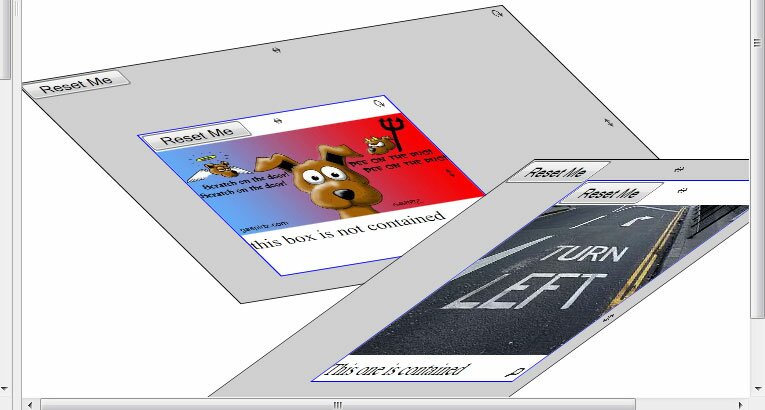
Possibilities to transform image: rotate, skew, and scale (commonly – possible to work even with DIV elements). Online demo you can find here.
transformable

3. animated slide image

Cool image slider (pretty unique). Online demo you can find here.
animated slide image

4. Before/After

Using this plugin you can make comparison between 2 images – what was before and after. Online demo you can find here.
Before/After

5. CSS Emoticons

This plugin ! will turn any your text emotions into great looking smiles (pure CSS without any images). Online demo you can find here.
CSS Emoticons

6. jCrop

Image cropping plugin. Online demo you can find here.
jCrop - image cropping

7. Image Blur

Blur effect to images. Online demo you can find here.
IMAGE BLUR

8. 3D ObjectVR

Allow to you to create nice interactive 3D shapes.
3D ObjectVR

9. Smart3D

Emulation of 3d effect on mouse moving. Online demo you can find here.
Smart3D

10. Interactive Picture

How to make interactive picture using nice tooltips. Online demo you can find here.
Interactive Picture

Conclusion

Hope that our new collection of photo related jquery plugins was really interesting for you. Good luck!
About: admin:
Web Developer and Module Developer for online web applications. Have great experience with Dolphin CMS.

Reference:  www.script-tutorials.com

Monday, May 23, 2011

25 Elegant jQuery Tooltips Plugins to Enhance Your Website Look

jQuery tooltips can really help usability and user experience, by providing useful clues, information, tips and help when using a site. Today, we are presenting best jQuery tooltip plugins for making your site more user friendly and attractive. So start hovering and give your site a breathing space and readers the information they want. I hope you like and comment about it.
Related Posts Links:

1. jqTooltip

jqTooltip

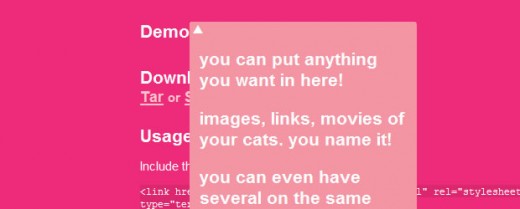
2. Pop! Simple Pop Menus with jQuery

Pop! Simple Pop Menus with jQuery

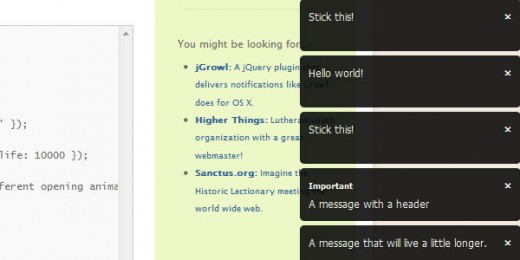
3. jGrowl

jGrowl

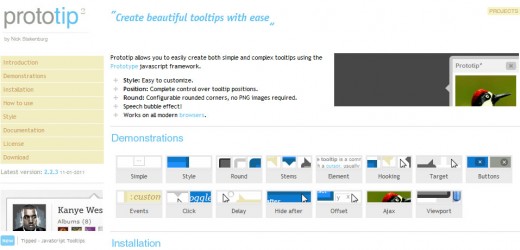
4. ProtoTip 2

ProtoTip 2

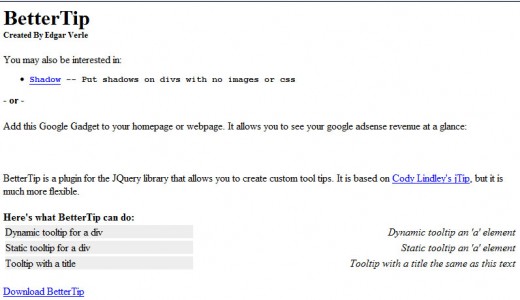
5. BetterTip

BetterTip

6. Tipsy – Facebook-Style Tooltip Plugin for jQuery

Tipsy – Facebook-Style Tooltip Plugin for jQuery

7. ClueTip

ClueTip

8. jHelperTip 1.0 – The Multi-Use Tooltip for jQuery

jHelperTip 1.0 – The Multi-Use Tooltip for jQuery

9. Build a Better Tooltip with jQuery Awesomeness

Build a Better Tooltip with jQuery Awesomeness

10. BeautyTips

BeautyTips

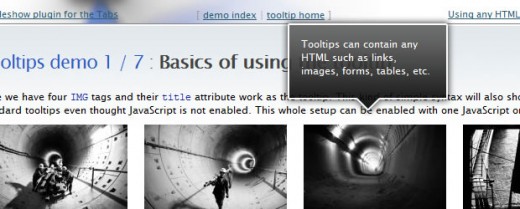
11. jQuery Tooltip – Tooltips done right

jQuery Tooltip – Tooltips done right

12. jQuery Ajax Tooltip

jQuery Ajax Tooltip

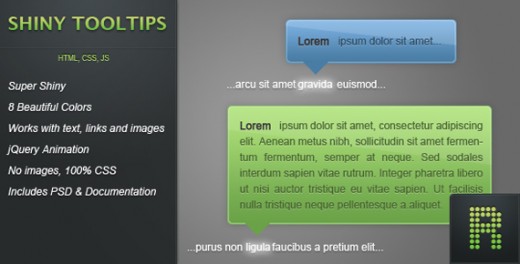
13. Shiny Tooltips

Shiny Tooltips

14. qTip – The jQuery Tooltip Plugin

qTip – The jQuery Tooltip Plugin

15. Easiest Tooltip and Image Preview Using jQuery

Easiest Tooltip and Image Preview Using jQuery

16. Orbital Tooltip

Orbital Tooltip

17. jQuery (mb)Tooltip 1.6

jQuery (mb)Tooltip 1.6

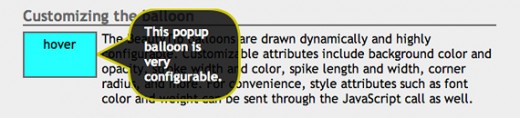
18. Coda Popup Bubbles

Coda Popup Bubbles

19. Simpletip

Simpletip

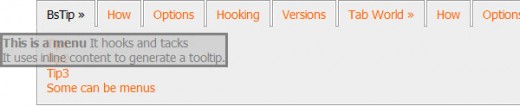
20. bQuery :: Good Tip & Tabworld

bQuery Good Tip & Tabworld

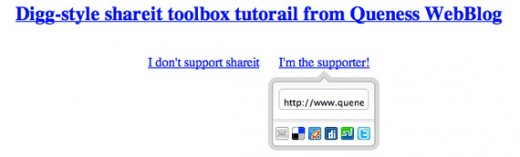
21. Digg-style post sharing tool with jQuery

Digg-style post sharing tool with jQuery

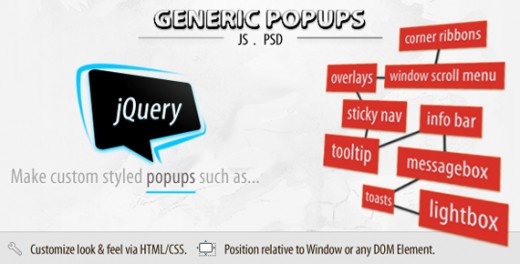
22. Generic Popups

Generic Popups

23. TipTip

TipTip

24. jQuery Horizontal Tooltips Menu Tutorials

jQuery Horizontal Tooltips Menu Tutorials

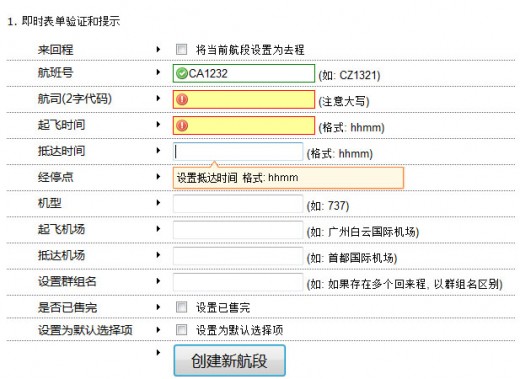
25. jQuery Form Validation and Tooltip

jQuery Form Validation and Tooltip


Reference:  http://www.tutorialchip.com

Understanding JSON: the 3 minute lesson

If you are anything like me (and I fear that you are) then this is your experience with JSON so far:
  1. Two months ago you'd never heard of JSON
  2. One month ago you'd heard the term but paid no attention
  3. One week ago you'd heard it mentioned a few times and started to think, right... some more crap to learn
  4. Today you woke up with an alarm bell ringing in the back of your mind that said WHAT THE BLOODY HELL IS THIS JSON THING AND WHY IS IT EVERYWHERE ALL OF A BLOODY SUDDEN!
Well I had a slow bus ride home tonight (friday is always slow) and i took a pile of "JSON" tutorials with me. So now I can gently lead you through some BabySteps in JSON.
here we go...

What does it stand for?

JavaScript Object Notation. [A ridiculous name. It should be called Lightweight Ecmascript Object Notation, or 'LEON' for short. ;-)]

And what does that mean?

JSON is a syntax for passing around objects that contain name/value pairs, arrays and other objects.
Here's a tiny scrap of JSON:
{"skillz": {
 "web":[
  {"name": "html", 
   "years": "5"
  },
  {"name": "css", 
   "years": "3"
  }],
 "database":[
  {"name": "sql", 
   "years": "7"
  }]
}}
You got that? So you'd recognise some JSON if you saw it now? Basically:

Squiggles, Squares, Colons and Commas

  1. Squiggly brackets act as 'containers'
  2. Square brackets holds arrays
  3. Names and values are separated by a colon.
  4. Array elements are separated by commas

JSON is like XML because:

  1. They are both 'self-describing' meaning that values are named, and thus 'human readable'
  2. Both are hierarchical. (i.e. You can have values within values.)
  3. Both can be parsed and used by lots of programming languages
  4. Both can be passed around using AJAX (i.e. httpWebRequest)

JSON is UNlike XML because:

  1. XML uses angle brackets, with a tag name at the start and end of an element: JSON uses squiggly brackets with the name only at the beginning of the element.
  2. JSON is less verbose so it's definitely quicker for humans to write, and probably quicker for us to read.
  3. JSON can be parsed trivially using the eval() procedure in JavaScript
  4. JSON includes arrays {where each element doesn't have a name of its own}
  5. In XML you can use any name you want for an element, in JSON you can't use reserved words from javascript

But Why? What's good about it?

When you're writing ajax stuff, if you use JSON, then you avoid hand-writing xml. This is quicker.
Again, when you're writing ajax stuff, which looks easier? the XML approach or the JSON approach:

The XML approach:

  1. bring back an XML document
  2. loop through it, extracting values from it
  3. do something with those values, etc,

versus

The JSON approach:

  1. bring back a JSON string.
  2. 'eval' the JSON

So this is Object-Oriented huh?

Nah, not strictly.
JSON is about as object oriented as VB6. It provides a nice encapsulation technique, that you can use for separating values and functions out, but it doesn't provide anything inheritence, polymorphism, interfaces, or OO goodness like that.
It is certainly a step in the right direction though, making javascript easier to maintain, share and reuse.
Thomas Frank wrote a nifty little javascript library called classyJSON for adding inheritance and scoping capabilities to JSON code.

And it's just for the client-side right?

Yes and no. On the server-side you can easily serialize/deserialize your objects to/from JSON. For .net programmers you can use libraries like Json.net to do this automatically for you (using reflection i assume), or you can generate your own custom code to perform it even faster on a case by case basis.

Three minutes is nearly up....

As near as a I can tell, JSON was invented by a guy called Douglas Crockford. Read his website if you want, he's pretty funny.

Now Go And Read Someone Who Knows

(Retrieved from Delicious using JSON!)
Reference: http://secretgeek.ne

30 Tips To Improve Javascript Performance

Are you a webmaster or web developer? Want to create super-fast websites?
You may have Monitis’s recent posts sharing tips for improving the performance of Windows Server 2008 and Linux Servers, and we hope that they’ve helped you.
Now, we’re moving on to Javascript — that wonderful — but complicated — technology that enriches sites but can often get in the way of their efficient operation and slow down the user experience. And improving the user experience — whether it’s consumers or sysadmins — is our mission at Monitis. Why? Because it has been proven that optimal end-user experience improves site conversion rates, Google search rankings and web visitor satisfaction rates. What does that mean? Better business for you and your company!
Of course, aside from these series of posts, there are many ways to improve your computing experience, for example, checking the performance of web page loads. Website administrators can use Monitis’ instant web page load test or use continous real browser full web page monitoring. Web load are affected by many factors, including network speed, hosting location, server performance, application performance, web page design and optimization.
Below we have covered the tips to improved Javascript performance. Again, it may help webmasters and web developers create fast websites and deliver top-notch user experience.

Tip #1 – Evaluate Local Variables

(http://blogs.msdn.com/b/ie/archive/2006/08/28/728654.aspx)

Primarily, specific to IE, because local variables are found based on the most to the least specific scope and can pass through multiple levels of scope, the look-ups can result in generic queries. When defining the function scope, within a local variable without a preceding var declaration, it is important to precede each variable with var in order to define the current scope in order to prevent the look-up and to speed up the code.

Tip #2 – Create shortcut codes to speed up coding

(http://www.spoonfeddesign.com/4-easy-tips-to-improve-javascript-efficiency)

For useful codes that are constantly being used, speeding up the coding process can be achieved by creating shortcuts for longer codes, for example, document.getElementById. By creating a shortcut, longer scripts will not take as long to code and will save time in the overall process.

Tip #3 –Manipulate element fragments before adding them to DOM

(http://www.jquery4u.com/dom-modification/improve-javascript-performance)

Before placing the elements to the DOM, ensure that all tweaks have been performed in order to improve JavaScript performance. This will eliminate the need to set aside Prepend or Append jQuery APIs.

Tip #4 – Save bytes by using Minification

(http://sixrevisions.com/web-development/10-ways-to-improve-your-web-page-performance)

Reduce the file size of your JavaScript documents by removing characters (tabs, source code documents, spaces etc.) without changing the functionality of the file.
There are a number of minification tools that can assist in this process, and have the ability to reverse the minification. Minification is the process of removing all unnecessary characters from source code, without changing its functionality.

Tip #5 –Don’t use nested loops if not required

(http://www.techstrut.com/2009/08/04/10-javascript-performance-tips)

Avoid unwanted loops, such as for/while, in order to keep the JavaScript linear and to prevent from having to go through thousands of objects. Unwanted loops can cause the browser to work harder to process the codes and can slow down the process.

Tip #6 – Cache objects to increase performance

(http://www.techstrut.com/2009/08/04/10-javascript-performance-tips)

Many times, scripts will be repeatedly used to access a certain object. By storing a repeated access object inside a user defined variable, as well as using a variable in subsequent references to that object, performance improvement can be achieved immediately.

Tip #7 – Use a .js file to cache scripts

(http://www.javascriptkit.com/javatutors/efficientjs.shtml)

By using this technique, increased performance can be achieved because it allows the browser to load the script once and will only recall it from cache should the page be reloaded or revisited.

Tip #8 – Place JavaScript at the bottom of the page

(http://developer.yahoo.com/blogs/ydn/posts/2007/07/high_performanc_5)

Placing the scripts as low as possible in the page will increase the rendering progress, and also increase download parallelization. The result is that the page will seem to load faster, and in some cases it can also save on the total amount of code needed.

Tip #9 – Use jQuery as a framework

(http://www.techstrut.com/2009/08/04/10-javascript-performance-tips)

Used for the scripting of HTML, jQuery is an easy to use JavaScript library that can help to speed up any website. jQuery provides a large number of plug-ins that can quickly be used, by even novice programmers.

Tip #10 – Compress your files with GZip

(http://devmoose.com/coding/10-ways-to-instantly-speed-up-your-website)

GZip can reduce a JavaScript file considerably, saving bandwidth, and accelerate the response time. JavaScript files can be very large, and without compression, it can bog down any website. Smaller files provide a faster and more satisfying web experience.

Tip #11- Don’t use “With” keyword

(http://blogs.msdn.com/b/ie/archive/2006/08/28/728654.aspx)

The “With” keyword is considered a black-sheep because it suffers from several flaws that can be very frustrating. Although it makes the process of working with local properties simpler, “With” can make looking up variables in other scopes more expensive.

Tip #12 – Minimize requests for HTTP

(http://www.websiteoptimization.com/speed/tweak/http)

Minimize HTTP requests to render pages by combining external files and including JavaScript directly within XHTML pages. Each time a unique HTTP takes a trip to a server, the result is a large number of delays.

Tip #13 – Implement Event Delegation

(http://www.djavaweb.com/blog/75-speed-up-your-webdevelop-smart-event-handlers.html)

With Event Delegation, it becomes easier to use a single event handler to manage a type of event for the entire page. Without using Event Delegation, large web applications can grind to a halt because of too many event handlers. Benefits of Event Delegation include; less functionality to manage, fewer ties between code and DOM, and less memory required to process.

Tip #14 – Don’t use the same script twice

(http://www.abhishekbharadwaj.com/2010/12/speed-up-your-website-avoid-duplicate-scripts)

Duplicate scripts will have a significant impact on performance. Duplicate scripts will create unnecessary requests on HTTP, especially in the IE browser. Using a SCRIPT tag, in an HTML page, will help to avoid accidentally duplicating scripts.

Tip #15 – Remove Double Dollar $$

(http://www.mellowmorning.com/2008/05/18/javascript-optimization-high-performance-js-apps)

Using “double dollar $$” function is not necessarily needed, when it comes to improving the speed of a website.

Tip #16 – Creating reference variables

(http://mondaybynoon.com/2009/04/27/a-couple-of-quick-tips-for-javascript-optimization)

When working with a specific node repeatedly, it is best to define a variable with that particular note, instead of switching to it repeatedly. This is not a significant enhancement but it can have a bigger impact on a large scale.

Tip #17 – Increase speed of Object Detection

(http://dean.edwards.name/weblog/2005/12/js-tip1)

A more efficient method to using Object Detection is to use a code created dynamically based off of object detection, rather than performing object detection inside of a function.

Tip #18 – Write effective Loops

(http://robertnyman.com/2008/04/11/javascript-loop-performance)

Depending on the browser, the method used to write Loops can have a great effect on the performance of a site. Improper writing of loops can slow down pages with lots of queries and running a number of loops in parallel.

Tip #19 – Shorten Scope Chains

(http://homepage.mac.com/rue/JS_Optimization_Techniques)

Global scopes can be slow, because each time a function executes, it cause a temporary calling scope to be created. JavaScript searchers for the first item in the scope chain, and if it doesn’t find the variable, it swells up the chain until it hits the global object.

Tip #20 – Index directly to NodeLists

(http://homepage.mac.com/rue/JS_Optimization_Techniques)

NodeLists are live and can take up a lot of memory, as they are updated when an underlying document changes. Its quicker to index directly into a list, as a browser will not need to create a node list object.

Tip #21 – Don’t use ‘eval’

(http://www.javascripttoolbox.com/bestpractices/#eval)

Although the “eval” function is a good method to run arbitrary code, each string that is passed to the eval function has to be parsed and executed on-the-fly. This cost has to be paid every time the execution reaches an eval function call.

Tip #22 – Use Function Inlining

(http://portal.acm.org/citation.cfm?id=844097)

Function Inlining helps to eliminate call costs, and replaces a function call with the body of the called function. In JavaScript, performing a function call is an expensive operation because it takes several preparatory steps to perform: allocating space for parameters, copying the parameters, and resolving the function name.

Tip #23 – Implement Common Sub-expression Elimination (CSE)

(http://sunilkumarn.wordpress.com/2010/10/19/common-subexpression-elimination-cse)

Common sub-expression elimination (CSE) is a performance-targeted compiler optimization technique that searches for instances of identical expressions and replaces them with a single variable holding the computed value. You can expect that using a single local variable for a common sub-expression will always be faster than leaving the code unchanged.

Tip #24 – Build DOM node and all its sub-nodes offline

(http://archive.devwebpro.com/devwebpro-39-0030514OptimizingJavaScriptforExecutionSpeed.html)

When adding complex content such as tables to a site, performance is improved by adding complex sub-trees offline.

Tip #25 – Try not to use global variables

(http://wiki.forum.nokia.com/index.php/JavaScript_Performance_Best_Practices#JavaScript_Performace_Best_Practices)

Because the scripting engine needs to look through the scope, when referencing global variables from within function or another scope, the variable will be destroyed when the local scope is lost. If variables in global scope cannot persist through the lifetime of the script, the performance will be improved.

Tip #26 – Use primitive functions operations vs. function calls

(http://wiki.forum.nokia.com/index.php/JavaScript_Performance_Best_Practices#JavaScript_Performace_Best_Practices)

Improved speed can be achieved in performance critical loops and functions by using equivalent primitive functions instead of function calls.

Tip #27 – Don’t retain alive references of other documents

(http://dev.opera.com/articles/view/efficient-javascript/?page=4#docreferences)

By not retaining alive references of other documents after the script has finished with them, faster performance will be achieved. This is because any references to those objects from that document are not to be kept in its entire DOM tree, and the scripting environment will not be kept alive in RAM. Thus the document itself is no longer loaded.

Tip #28 – Use XMLHttpRequest

(http://dev.opera.com/articles/view/efficient-javascript/?page=4#docreferences)

XMLHttpRequest helps to reduce the amount of content coming from the server, and avoids the performance impact of destroying and recreating the scripting environment in between page loads. Its is important to ensure that XMLHttpRequest is supported, or otherwise it can lead to problems and confusion.

Tip #29 – Avoid using try-catch-finally

(http://dev.opera.com/articles/view/efficient-javascript/?page=2)

Whenever the catch clause is executed, where the caught exception object is assigned to a variable, “try-catch-finally” creates a new variable in the current scope at runtime. A number of browsers do not handle this process efficiently because the variable is created and destroyed at runtime. Avoid it!

Tip #30 – Don’t misuse for-in

(http://dev.opera.com/articles/view/efficient-javascript/?page=2)

Because the “for-in” loop requires the script engine to build a list of all the enumerable properties, coding inside for loop does not modify the array. It iterates pre-compute the length of the array into a variable len inside for loop scope.


Reference: Montis blog